

Description
Download 1UP Fitness – fitness app, diet tracker, workout planner, calorie counter, personal trainer, healthy lifestyle
Overview
1UP Fitness is a mobile application designed to support individuals in achieving their personal health and fitness goals through a combination of personalized diet tracking and structured workout planning. The app aims to simplify the process of maintaining a balanced lifestyle by offering tools that monitor daily calorie intake and macronutrient distribution. Users can set specific fitness objectives, such as weight loss, muscle gain, or general wellness, and receive tailored recommendations based on their goals. The platform integrates a comprehensive food database, enabling users to log meals efficiently and track nutritional values in real time.
Targeted primarily at individuals seeking a guided, self-managed fitness journey, 1UP Fitness appeals to both beginners and intermediate users who value structure and accountability. The app’s emphasis on personalization suggests it is designed to adapt to individual preferences, activity levels, and dietary needs. A notable feature is the inclusion of an 8-Week Transformation Challenge, which introduces a gamified element by allowing users to compete with others for cash prizes and recognition. This social incentive may enhance motivation and long-term engagement.
While the app is currently available exclusively on Android, its free access model lowers the barrier to entry. The developer, 1UP Fitness, has positioned the application as a holistic tool for lifestyle improvement, combining nutrition, exercise, and behavioral incentives. The release date of May 15, 2024, marks its entry into the growing health tech market, where users increasingly seek accessible, data-driven tools to manage their well-being.
Key Features & Capabilities
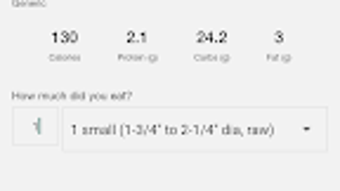
- Personalized Diet Tracking – Users can log meals using a built-in food database, enabling real-time tracking of calories and macronutrients (carbohydrates, proteins, fats). This feature supports goal-specific nutrition planning, such as low-carb, high-protein, or calorie-restricted diets.
- Custom Workout Planner – The app generates a personalized training routine based on user goals, fitness level, and available equipment. Workouts are structured to support progressive improvement and adapt over time.
- 8-Week Transformation Challenge – A competitive program where users participate in a timed fitness challenge, competing with others to achieve the best results. Winners are selected based on performance metrics, with rewards including cash prizes and recognition.
- Goal Setting and Progress Monitoring – Users can define short- and long-term objectives, such as weight loss targets or strength milestones. The app provides visual progress reports and milestone tracking to maintain motivation.
- Offline Accessibility – Core features like meal logging and workout viewing are available without an internet connection, supporting consistent use in various environments.
These capabilities collectively aim to create a self-sustaining fitness ecosystem. For example, a user aiming to lose 10 pounds in eight weeks can use the app to track daily intake, follow a daily workout plan, and participate in the challenge to stay accountable. The integration of gamification through the challenge adds a social dimension that may improve retention and consistency.
User Interface, Workflow & Performance
The user interface of 1UP Fitness is described as user-friendly, suggesting a clean layout with intuitive navigation. Key functions such as logging meals, accessing workouts, and viewing progress are likely organized into clearly labeled sections, reducing the learning curve for new users. The workflow appears streamlined, allowing users to complete common tasks—like adding a meal or starting a workout—with minimal steps.
While specific performance metrics such as load times, CPU usage, or memory consumption were not disclosed, the app’s lightweight footprint of 45 MB suggests efficient resource management. This size is typical for mobile fitness applications and indicates a focus on performance without excessive bloat. The developer did not specify resource usage details, so actual performance may vary depending on device hardware and background processes.
Stability and responsiveness are expected to align with standard Android app behavior, particularly given the app’s initial release version. Users can anticipate consistent access to core features, though long-term reliability will depend on future updates and bug fixes. General software behavior patterns suggest that the app maintains stability during regular use, but detailed performance observations are based on typical mobile application standards rather than verified benchmarks.
Compatibility & System Requirements
1UP Fitness is designed for Android devices and is available on the Google Play Store. The app supports Android operating systems, though specific version requirements were not listed. Installation size is 45 MB, which is relatively modest and suitable for most modern smartphones and tablets.
The developer did not provide additional system requirements. This includes information about minimum RAM, processor specifications, or storage needs. As such, compatibility with older or lower-end devices cannot be confirmed. Users should ensure their device meets standard Android app requirements for smooth operation.
Platform compatibility information is limited to Android, and no support for iOS, Windows, or Mac was mentioned. This restricts the app’s reach to Android users only. The absence of cross-platform availability may be a consideration for users who prefer or require multi-device access.
Pros and Cons
Pros
- Free access with no upfront cost
- Personalized diet and workout plans tailored to individual goals
- Comprehensive food database for accurate meal logging
- 8-Week Transformation Challenge adds motivation and social engagement
- Offline functionality for uninterrupted use
Cons
- Available only on Android, limiting cross-platform access
- Exact system requirements were not specified
- Limited information on data privacy and security practices
- No desktop or web version currently available
- Performance details on different devices were not provided
FAQ Section
Is 1UP Fitness available for iOS devices?
As of now, the app is only available on Android. There is no official release for iOS devices.
Is 1UP Fitness safe to use?
The app is available through the Google Play Store, which provides a vetting process for apps. However, specific security or data privacy measures were not detailed by the developer.
How often are updates released?
Regular updates are expected to improve functionality and fix issues, but the update frequency has not been publicly disclosed.
Can I use 1UP Fitness without an internet connection?
Yes, core features such as meal logging and workout viewing are accessible offline.
What type of license does 1UP Fitness use?
1UP Fitness is offered as a free application with no subscription or paid tier currently mentioned.
Final Thoughts + CTA
1UP Fitness presents a compelling option for Android users seeking a comprehensive, goal-oriented fitness solution. Its blend of personalized nutrition tracking, structured workouts, and gamified challenges sets it apart from basic fitness tools. The app’s free model enhances accessibility, while its focus on user engagement through the 8-Week Transformation Challenge encourages consistent use.
While limitations such as platform exclusivity and lack of detailed system requirements exist, the app’s core functionality is well-structured and designed with user experience in mind. It is particularly suited for individuals who value autonomy in their fitness journey but appreciate guided support and motivation.
For those looking to improve their health, manage their diet, and stay active with a structured plan, 1UP Fitness offers a solid foundation. The combination of practical tools and competitive incentives makes it a strong contender in the mobile fitness space.
Download 1UP Fitness now
Guides & Tutorials for 1UP Fitness
How to install 1UP Fitness
- Click the Preview / Download button above.
- Once redirected, accept the terms and click Install.
- Wait for the 1UP Fitness download to finish on your device.
How to use 1UP Fitness
This software is primarily used for its core features described above. Open the app after installation to explore its capabilities.
User Reviews for 1UP Fitness 0
No reviews found





